

CS2 trade URL scams are one of the most common ways people lose their skins today. A trader sends you a CS2 trade URL on Discord or in Steam chat, you click it, and suddenly, you’re on a fake Steam trade link that looks almost real. One mistake on these fake CS2 trade URLs can empty your inventory in seconds.
In this guide, we’ll show you how to spot scam links, avoid phishing sites, and keep your CS2 skins safe.
Contents
- 1 Common Scam Types
- 2 Fake Domains Designed to Look Like Steam
- 3 URL Shorteners Hiding Malicious Links
- 4 Fake “Steam Moderators”
- 5 Fake “Verification Bots” Asking for Trade Links
- 6 How to Validate a Steam Trade Link
- 7 Check the Domain
- 8 Inspect the Full URL Structure
- 9 Hover to Reveal the True Destination
- 10 Never Trust Trade Links Sent via Discord DMs
- 11 Use Incognito Mode to Test Safety
- 12 How to Check a Real Steam Profile
- 13 Check the Profile URL
- 14 Review Steam Level, Badges & Years of Service
- 15 Check Inventory Visibility
- 16 Verify Friends, Groups & Activity
- 17 How to Check Trade History Analysis
- 18 Security Practices for Safe Trading
- 19 What to do if a Skin is Stolen
- 20 Valve’s Official Security Guidelines
- 21 Conclusion
- 22 FAQ: CS2 Trade URL Safety & Scam Prevention
Common Scam Types
Fake Domains Designed to Look Like Steam
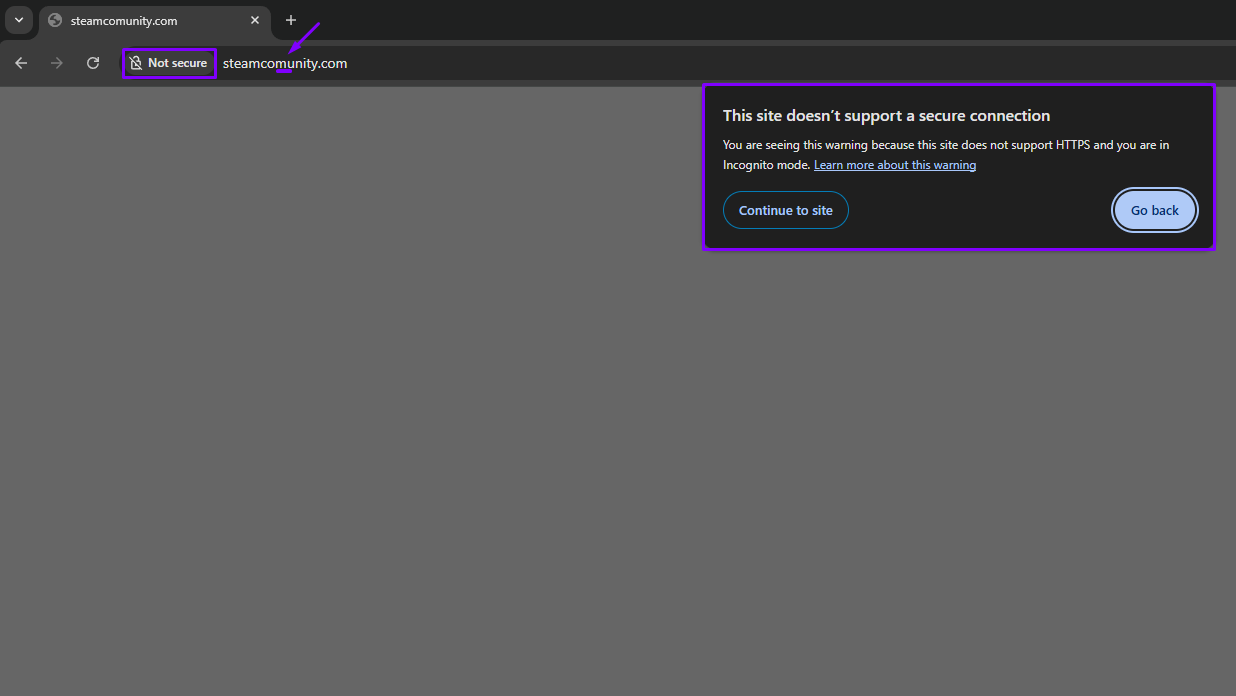
Examples:
- steamcommunlty.com (small “L” instead of “i”)
- steamcomunity.com (one “m”)
- steamcommunnity.net (wrong TLD)
- steamtrading.site (not Steam-owned)
Anything that is not steamcommunity.com
These pages often copy the whole Steam’s layout. The only giveaway is the incorrect domain name or missing SSL certificate. Logging in here hands your account to the scammer instantly.
URL Shorteners Hiding Malicious Links
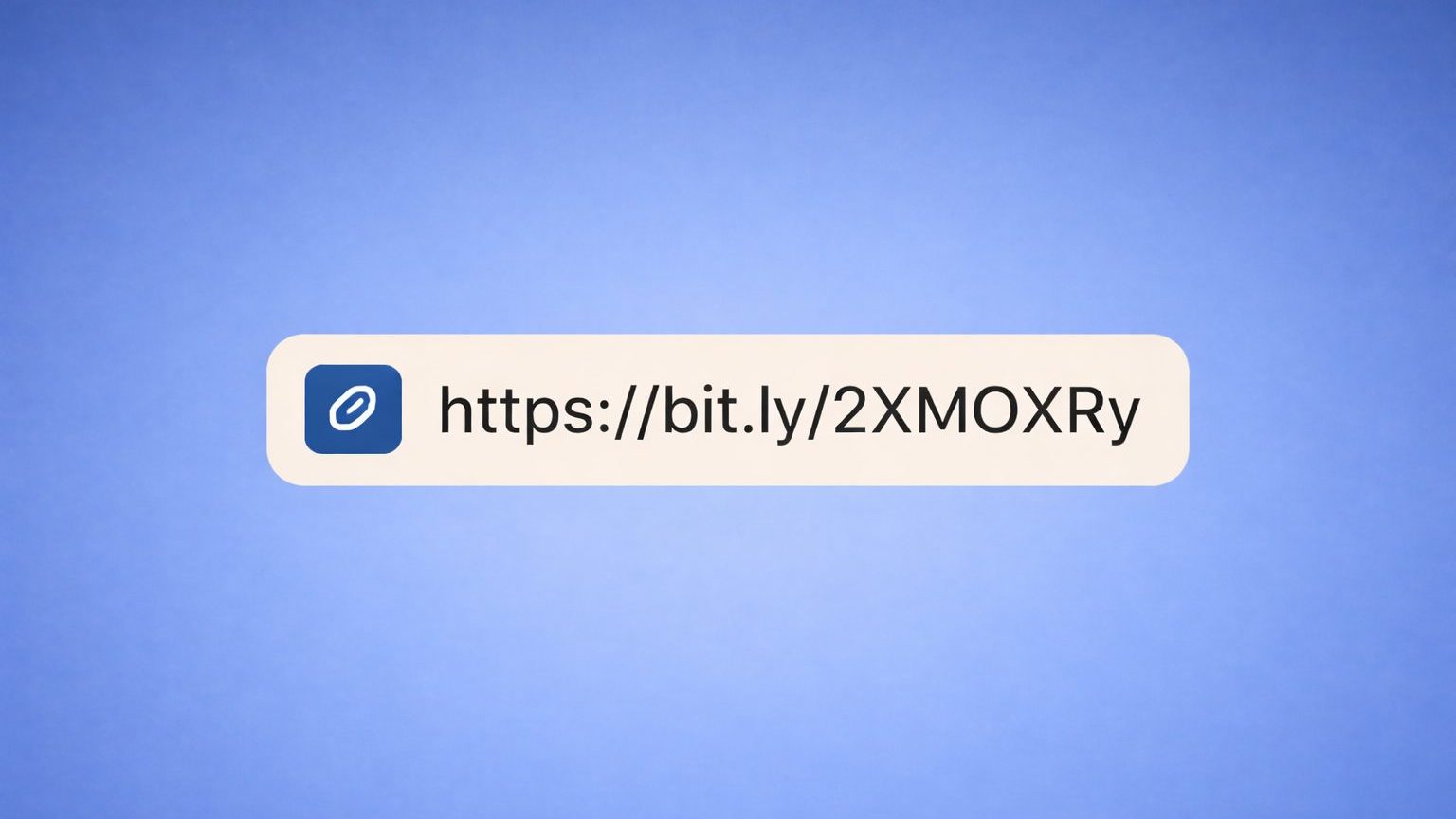
Scammers often send shortened URLs:
- bit.ly
- tinyurl
- goo.gl
- cutt.ly
The user can’t see the real domain before clicking.
Fake “Steam Moderators”
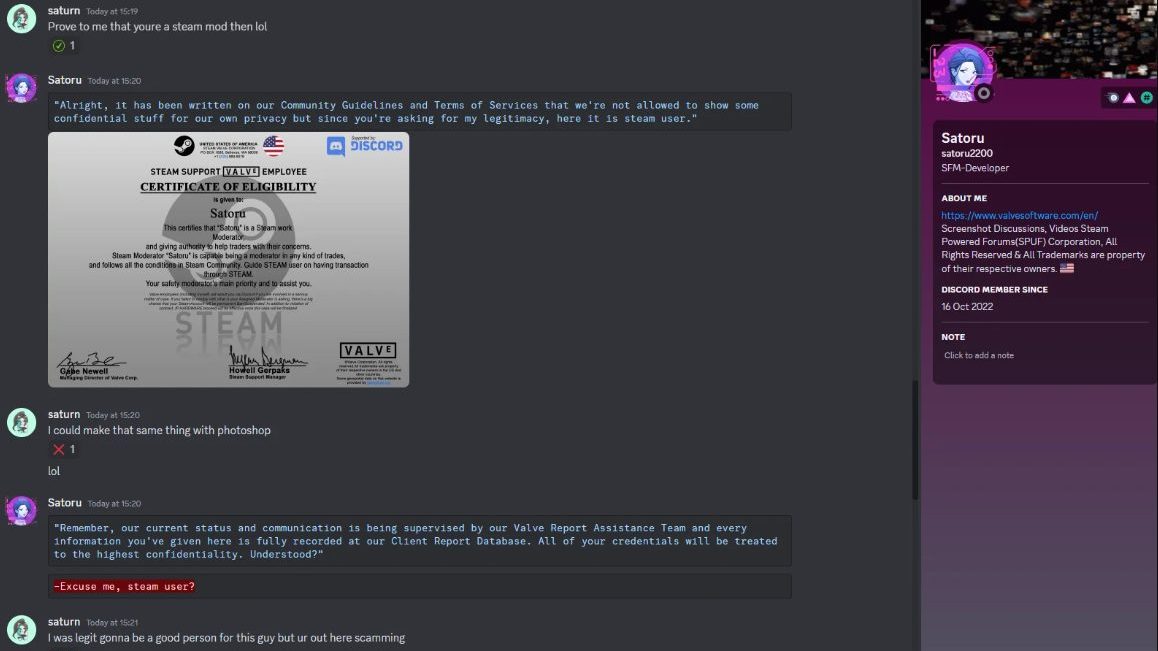
These claim they are one of those to find out your trade URL:
- Steam moderators
- Valve employees
- Marketplace support staff
- Anti-fraud inspectors
Then they ask for your trade URL or tell you to send your items to a “verification bot.”
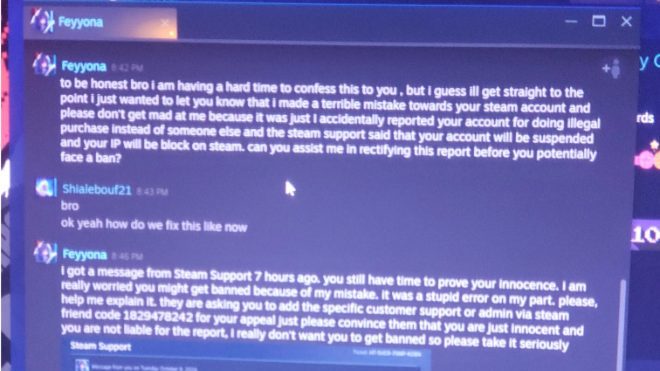
Valve does not have moderators who DM users, and no one will ever inspect or verify your items.
Any message like this is a scam:
- “Your account is at risk.”
- “Your items must be verified.”
- “We detected fraudulent activity.”
Fake “Verification Bots” Asking for Trade Links
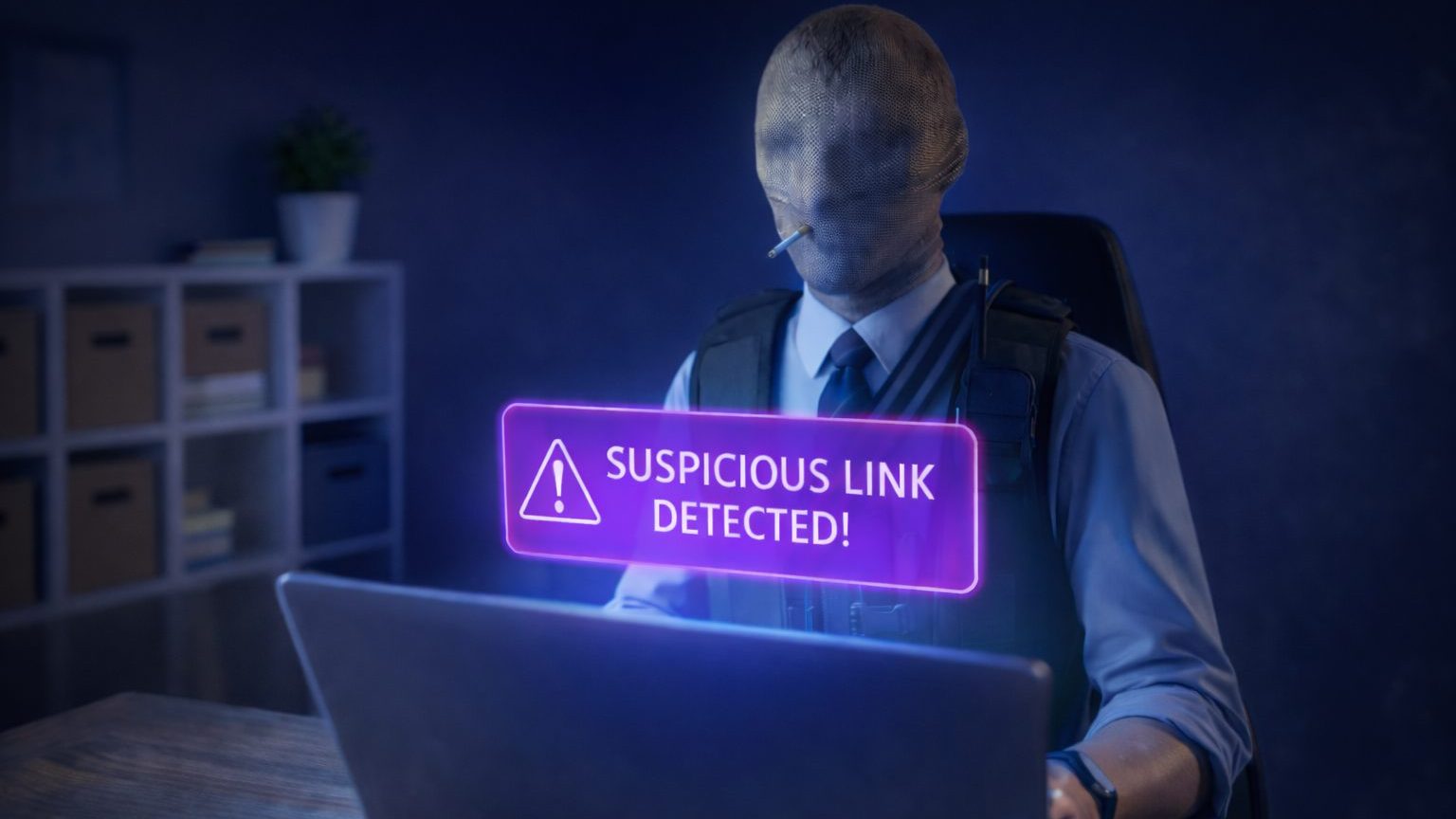
Scammers create fake trading bots with similar names to legitimate ones from CS.MONEY, or other marketplaces.
Examples of bot impersonation:
- A scammer adds numbers/extra letters to mimic a real bot
- A fake bot sends you a trade offer that looks official
- A bot claims it needs your trade URL for “float checking” or “duplication prevention”
Real marketplace bots:
- Only operate inside their platform
- Never message you on Discord
- Never ask for login credentials
- Never send unsolicited trade offers
If a bot appears out of nowhere, it’s fake.
How to Validate a Steam Trade Link
Check the Domain
Steam trade URL must begin with: https://steamcommunity.com/tradeoffer/new/
If the link contains anything else, like different spellings, extra characters, or unfamiliar domains, it’s fake.
Inspect the Full URL Structure
A real trade URL always ends like this: ?partner=XXXX&token=YYYY
If something is missing, rearranged, or replaced, this URL instantly becomes suspicious.
Hover to Reveal the True Destination
On PC, hover your cursor over the link. Your browser will show the real URL at the bottom of the screen. If the revealed link doesn’t match steamcommunity.com — don’t click it.
Never Trust Trade Links Sent via Discord DMs
Most scams happen via direct messages on Discord. Always initiate the trade link directly from a user’s Steam profile, rather than trusting links that they send you.
Use Incognito Mode to Test Safety
If you’re not sure, open the link in an incognito window without logging in first. If it immediately prompts you to log in, it’s a phishing site.
How to Check a Real Steam Profile
Scammers often clone Steam profiles to make fake trade links look legitimate. Here’s how to confirm whether a Steam profile is genuine.
Check the Profile URL
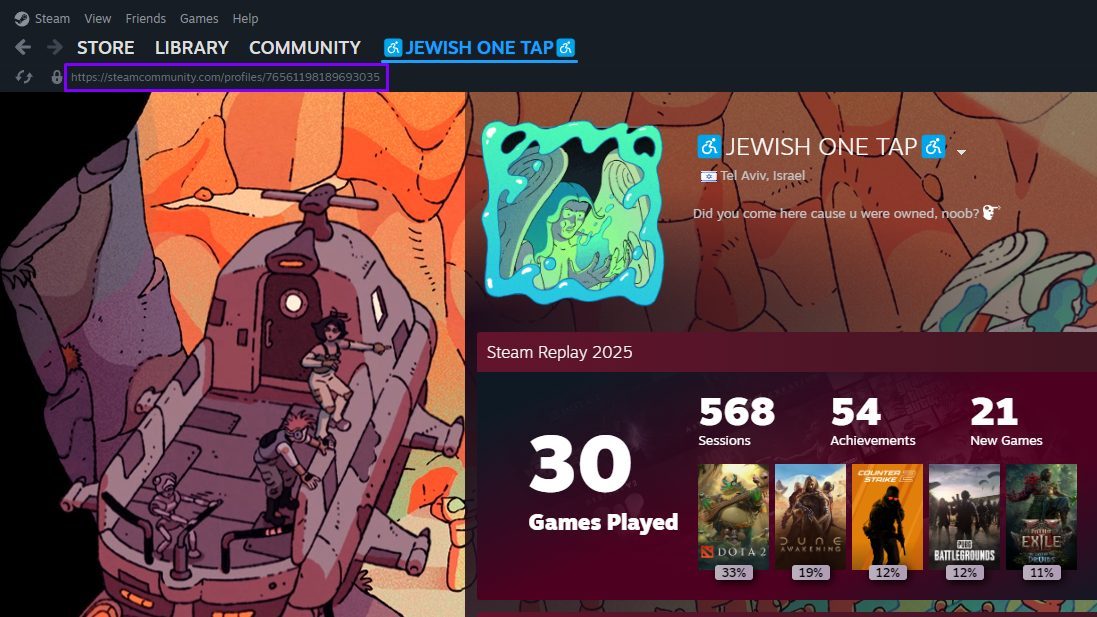
A real Steam profile link looks like either:
https://steamcommunity.com/id/username/https://steamcommunity.com/profiles/12345678901234567/
Fake profiles often use:
- Extra characters
- Wrong domain spelling
- Non-Steam URLs pretending to be “Steam inspect” tools
- Redirect links
Only trust profiles originating from steamcommunity.com.
Review Steam Level, Badges & Years of Service
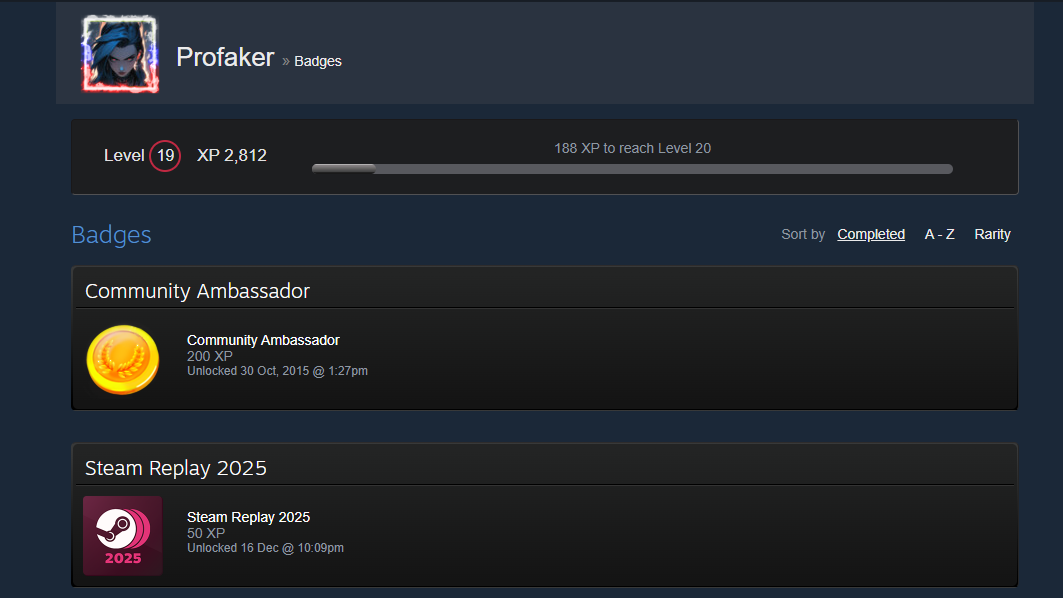
Cloned profiles usually have:
- Very low Steam levels
- No Years of Service badge
- Inconsistent badge history
A real trader typically has years of activity — scammers rarely bother.
Check Inventory Visibility
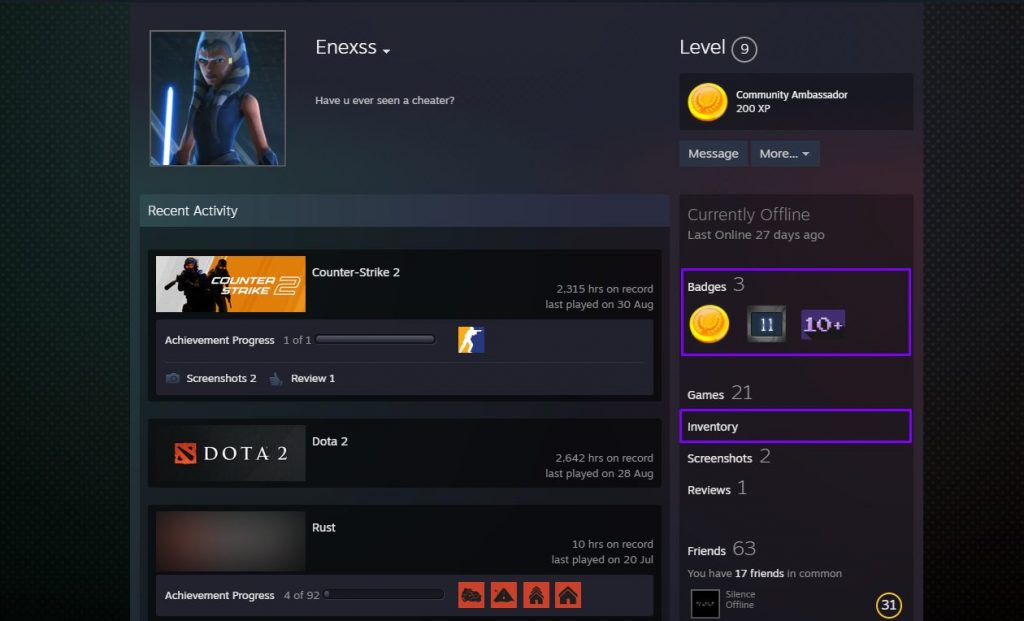
A legitimate trader usually has:
- Public inventory
- Real items (not empty or copied screenshots)
Scammers often set the inventory:
- To private
- To “Friends Only”
- To public but completely empty
Verify Friends, Groups & Activity
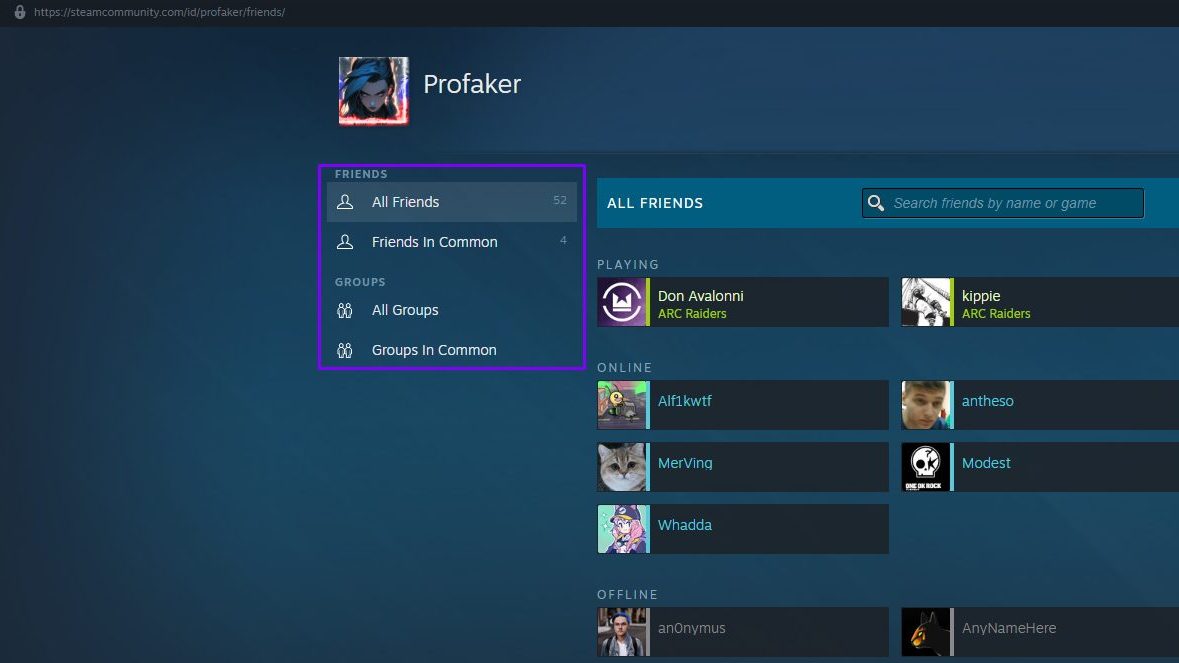
Real profiles have:
- Friends interacting often
- History of group membership
- Recent gameplay activity (especially CS2)
Fake profiles often show:
- Random friends
- No comments
- No joined groups
- No recent playtime
How to Check Trade History Analysis
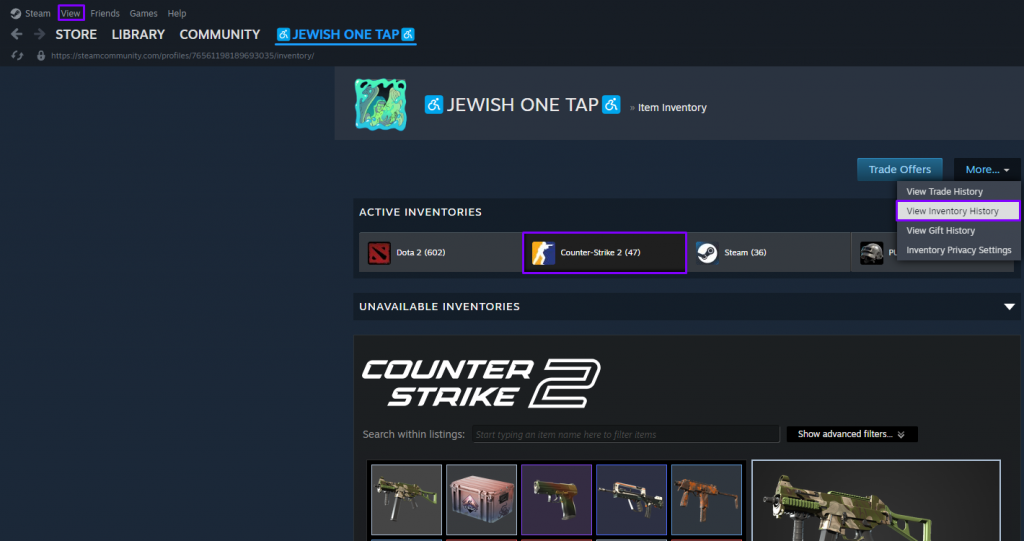
Your Steam trade history is a valuable tool for identifying unauthorized trades or suspicious patterns.
How to Access It:
- Steam > View> Inventory > More > View Inventory History
Check your History if there were any:
- Unknown trades
- Trades sent or accepted at unusual times
- Offers accepted by “you” despite not confirming
- Items disappearing after visiting unfamiliar websites
If anything looks off, revoke your Web API key immediately and change your password.
Security Practices for Safe Trading
A few simple habits drastically reduce your risk of losing skins.
| Safety Tip | Why It Matters |
|---|---|
| Enable Steam Guard Mobile Authenticator | Adds two-factor authentication and protects all trade confirmations. |
| Use a Strong, Unique Password | Prevents account takeovers caused by reused passwords from Discord, email, or other platforms. |
| Never Share Your Trade URL Publicly | Public trade URLs are commonly harvested by scammers and fake bots. |
| Bookmark the Real Steam Website | Reduces the risk of phishing by avoiding suspicious or shortened links. |
| Keep Inventory Set to “Friends Only” | Stops scammers from scouting your items and targeting you. |
| Avoid Discord Trades | Most impersonation and fake middleman scams originate on Discord. |
| Double-Check Every Trade Offer | Always verify items, sender, bot ID, URL, and total value before confirming. |
What to do if a Skin is Stolen
If your items were stolen due to phishing or API hijacking, take these steps immediately:
Change Your Steam Password
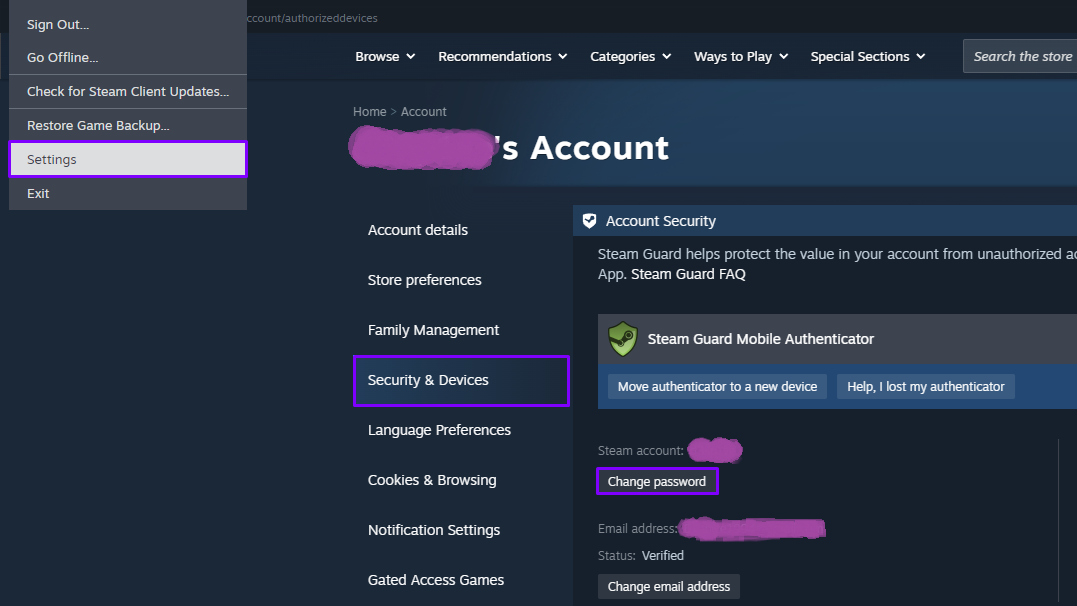
Do this first to prevent further access.
Revoke All API Keys
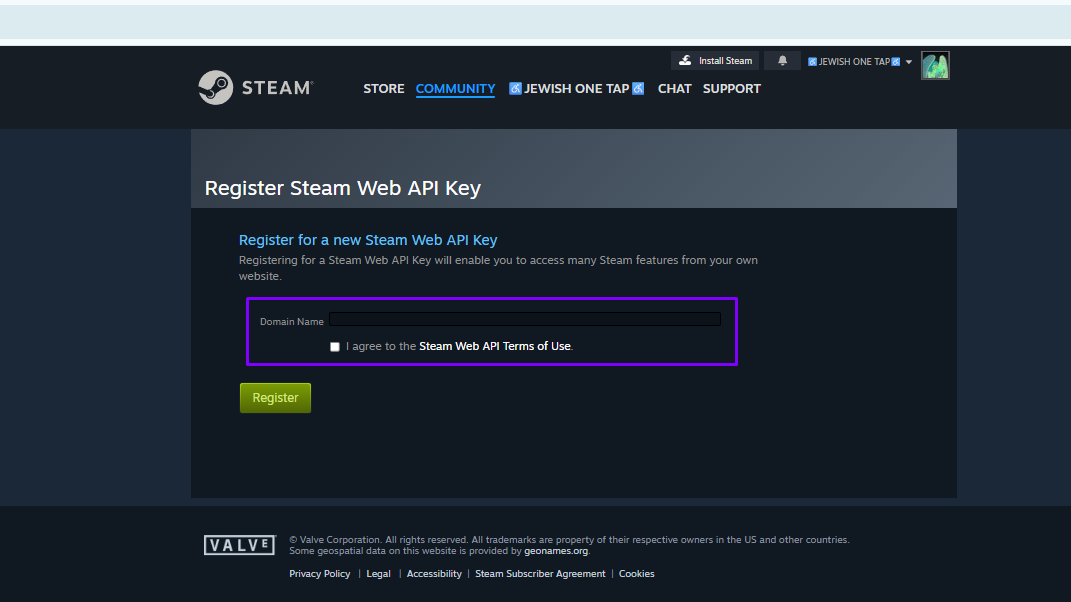
Go to: https://steamcommunity.com/dev/apikey > Delete Key
Deauthorize All Other Devices
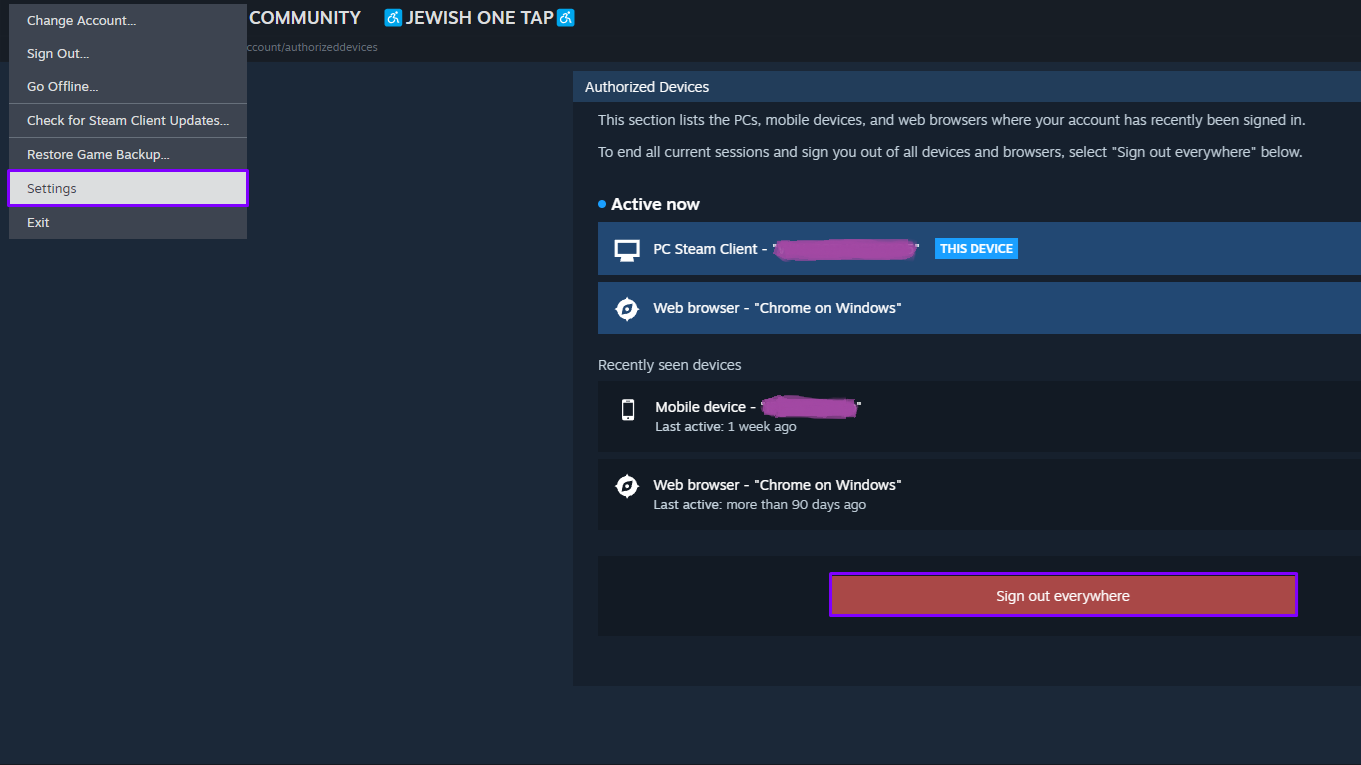
Steam > Settings > Security & Devices > Deauthorize all other devices
Scan Your PC for Malware

Use a reputable antivirus or anti-malware tool.
Contact Steam Support

While Valve does not restore stolen items, they can:
- Secure your account
- Warn of suspicious activity
- Lock out the attacker
Inform Friends & Marketplaces
Warn others if a scammer is impersonating you.
Valve’s Official Security Guidelines
Valve provides clear rules about account safety, which every CS2 trader should follow.
- Valve employees never contact users through Discord or Steam Chat
- Valve does not perform skin verification
- No moderator can check, hold, or inspect your items
- All trades are final — stolen items cannot be restored
- You are responsible for keeping your API key and login secure
- Never log into sites you don’t fully trust
- Always use Steam Guard 2FA
- Avoid trading outside Steam or trusted marketplaces
Steam Support > Account Security Recommendations
Steam Support > Trading and Market FAQ
Conclusion
CS2 trading can be safe and profitable — but only if you understand the scams that target traders. Fake trade URLs, impersonation, malicious bots, and phishing sites are everywhere, especially on Discord. If you always stay alert, you can avoid 99% of scams and trade with confidence.
FAQ: CS2 Trade URL Safety & Scam Prevention
How do scammers impersonate bots?
They copy the names and avatars of official marketplace bots but use newly created accounts with no history.
What should I do if I click on a suspicious link?
Change your password immediately, then revoke your API key and deauthorise any connected devices. Finally, scan your PC.
How can I check if a Steam profile is real?
Verify the exact URL, Steam level, playtime, badges, and compare it to the real friend through your friends list.
What’s the safest way to trade CS2 skins?
Use trusted marketplaces, enable 2FA, avoid Discord DMs, and double-check every trade offer before confirming.
Can Steam moderators contact me about my items?
No — Valve staff never DM users, never verify items, and never ask for your trade URL.
