

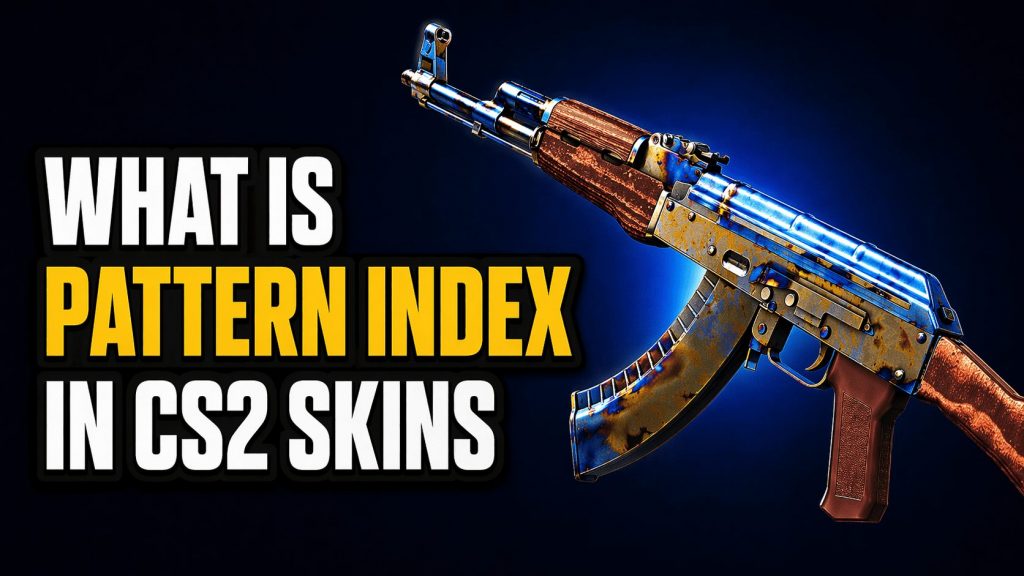

In CS2, the pattern index determines how a skin looks on a weapon. While it does not affect rarity, it can have a major impact on appearance and value, especially for popular finishes like Case Hardened, Fade, and Doppler.
Pattern index doesn’t change rarity or the official tier, so if you want the full classification system, read CS2 Skin Rarity Explained: All Colors and Tiers.
Contents
- 1 Pattern Index Meaning in CS2
- 2 How Pattern Seeds Work
- 3 Rare Patterns for Different Skins
- 4 Case Hardened
- 5 Doppler
- 6 Fade
- 7 Marble Fade
- 8 Slaughter
- 9 How to Check Pattern Index in CS2
- 10 How to judge a rare CS2 skin pattern in 20 seconds
- 11 Market snapshot: prices change and listings may disappear
- 12 Final verdict on Pattern Index in CS2 skins: why it matters for value and visuals
- 13 Frequently Asked Questions About Pattern Index in CS2
- 14 Does pattern index affect skin value in CS2?
- 15 What is the difference between pattern index and float in CS2?
- 16 What is the most valuable pattern in CS2?
- 17 Are pattern seeds important for all CS2 skins?
- 18 How do you check pattern index in CS2?
Pattern Index Meaning in CS2
A pattern index in CS2, also called a pattern seed, is a number from 1 to 999 that determines how a skin finish is placed on a weapon. Two skins with the same finish can look different because they use different pattern indexes.
The pattern index does not change the skin name, rarity, or wear. It only changes the visual layout of the finish.
In other words, the pattern index controls visual placement, not the item’s market tier or official classification, but that visual difference alone can dramatically affect collector value.
How Pattern Seeds Work
Every finish is built from a texture, and the pattern seed determines which part of that texture appears on the weapon model.
That is why one Case Hardened skin can show heavy blue on the playside, while another version of the same skin may look mostly gold or mixed. The same principle also applies to finishes like Fade, Marble Fade, and some Doppler variants.
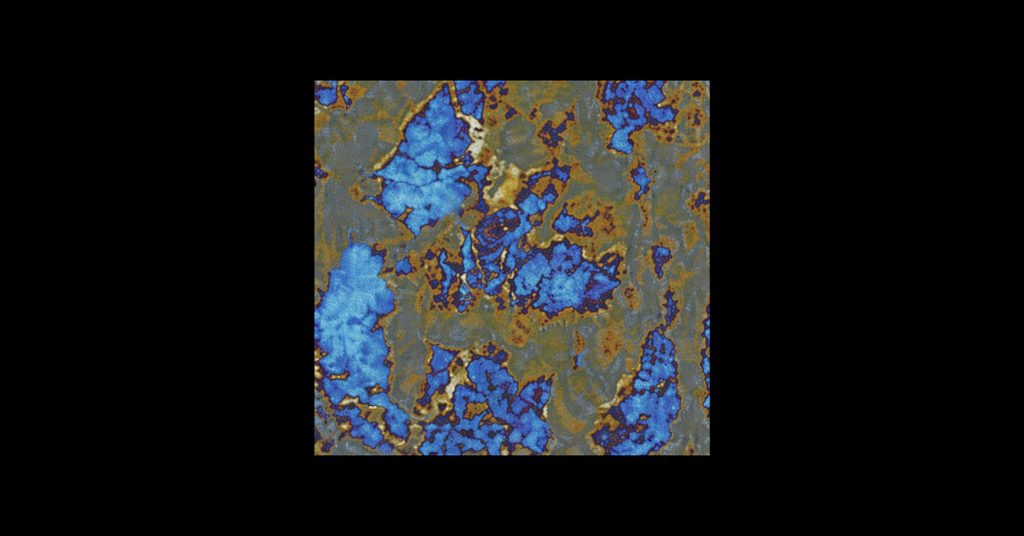
Pattern placement is not always a simple static overlay. In many CS2 finishes, the game can also adjust the pattern’s position, scale, and rotation on the weapon model, which is why skins with the same finish often look noticeably different in practice.
Because weapons have different shapes and sizes, the same source pattern may appear larger, tighter, or more stretched depending on the model. This is one reason the same finish can produce very different visual results across different guns or knives.
Wear adds another layer of variation beyond the pattern seed itself. Scratches, grime, and other surface details are not always distributed in exactly the same way, so two skins with a similar wear rating can still have small visual differences when inspected closely.
Rare Patterns for Different Skins
Some CS2 skins are especially known for their pattern-based value, where specific seeds or visual layouts can significantly increase the price. In these cases, even small differences in color placement, symmetry, or overall appearance can make one version far more desirable than another.
We chose high-tier collector patterns and used market snapshots to show how pattern + float can change pricing. Listings change fast, so treat the numbers as examples, not constants. Below are some of the most popular examples collectors pay attention to.
Pattern index matters most on finishes where the layout noticeably changes the final look, and Most Popular CS2 Skin Finishes Explained helps you spot which finishes are the most pattern-sensitive.
Case Hardened
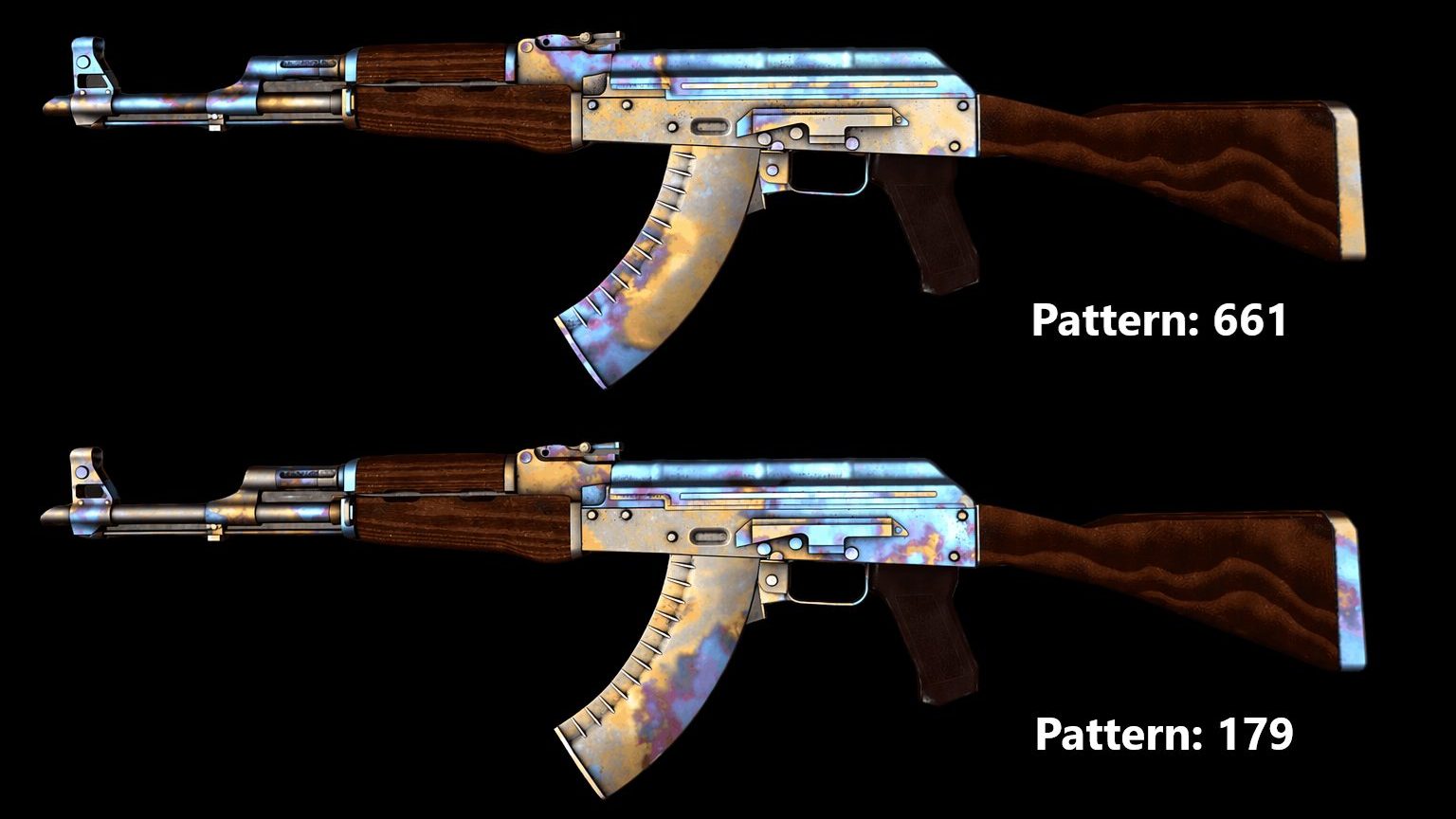
- Available Skins: AK-47, Five-SeveN, Knives
- Most Popular Patterns: 661, 670, 321
Case Hardened is the best-known example. Certain seeds create Blue Gems, Gold Gems, or other sought-after layouts. Its value comes from how the seed places blue, gold, and purple across key parts of the weapon, with top-tier patterns gaining premium status when blue coverage lands in the most desirable visible areas.
Doppler
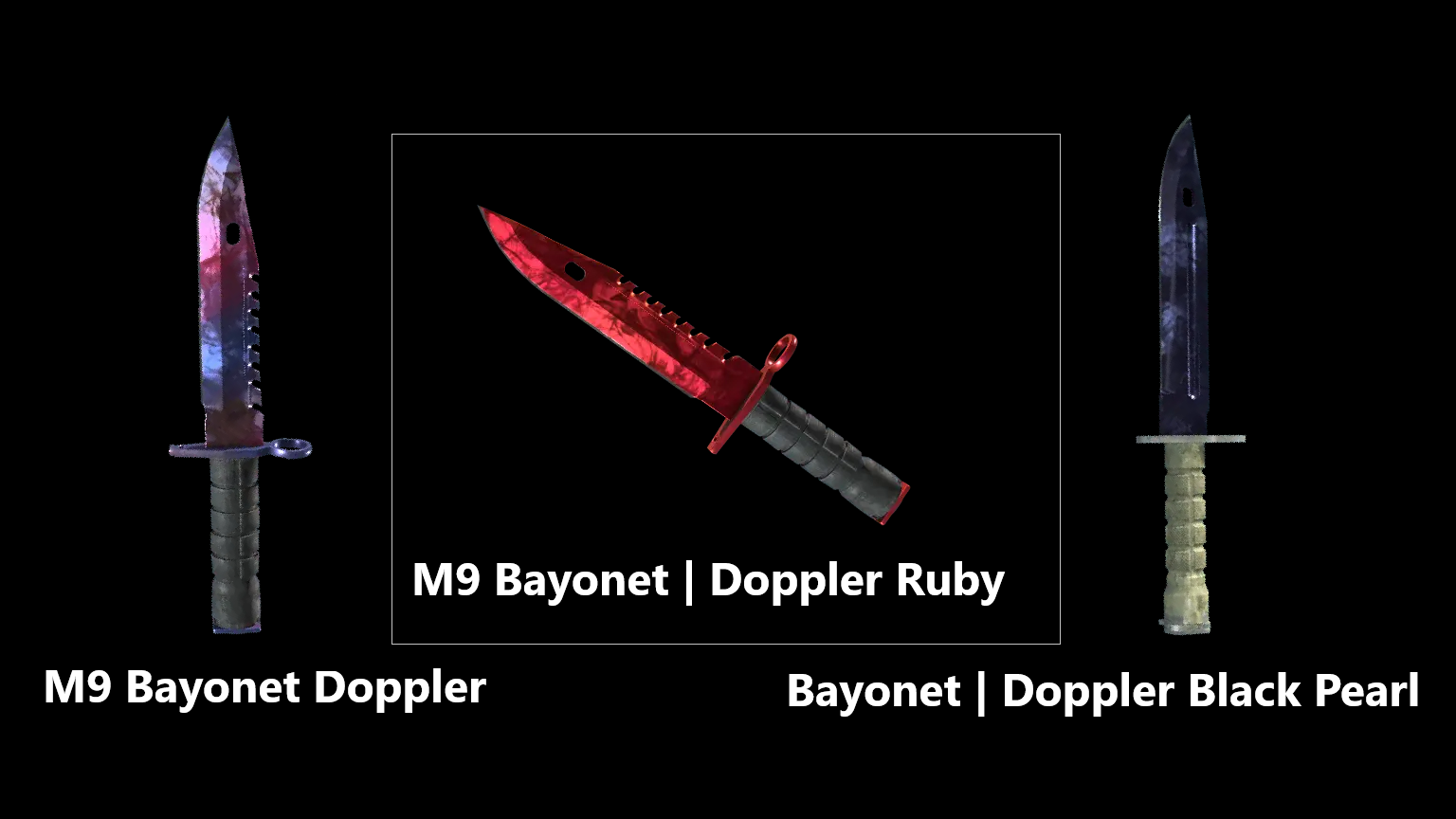
- Available Skins: Glock-18, Gamma, Knives
- Most Popular Variants: Sapphire, Ruby, Black Pearl
Doppler finishes are often discussed by phase, but visual outcome still drives value. Ruby, Sapphire, and Black Pearl are the most desirable variants.
Each phase uses a different color distribution, but the exact pattern placement still affects how clean or dominant those colors appear on the blade. Skins with more consistent, uninterrupted color (especially deep red, blue, or black) are typically considered higher tier by collectors.
Fade
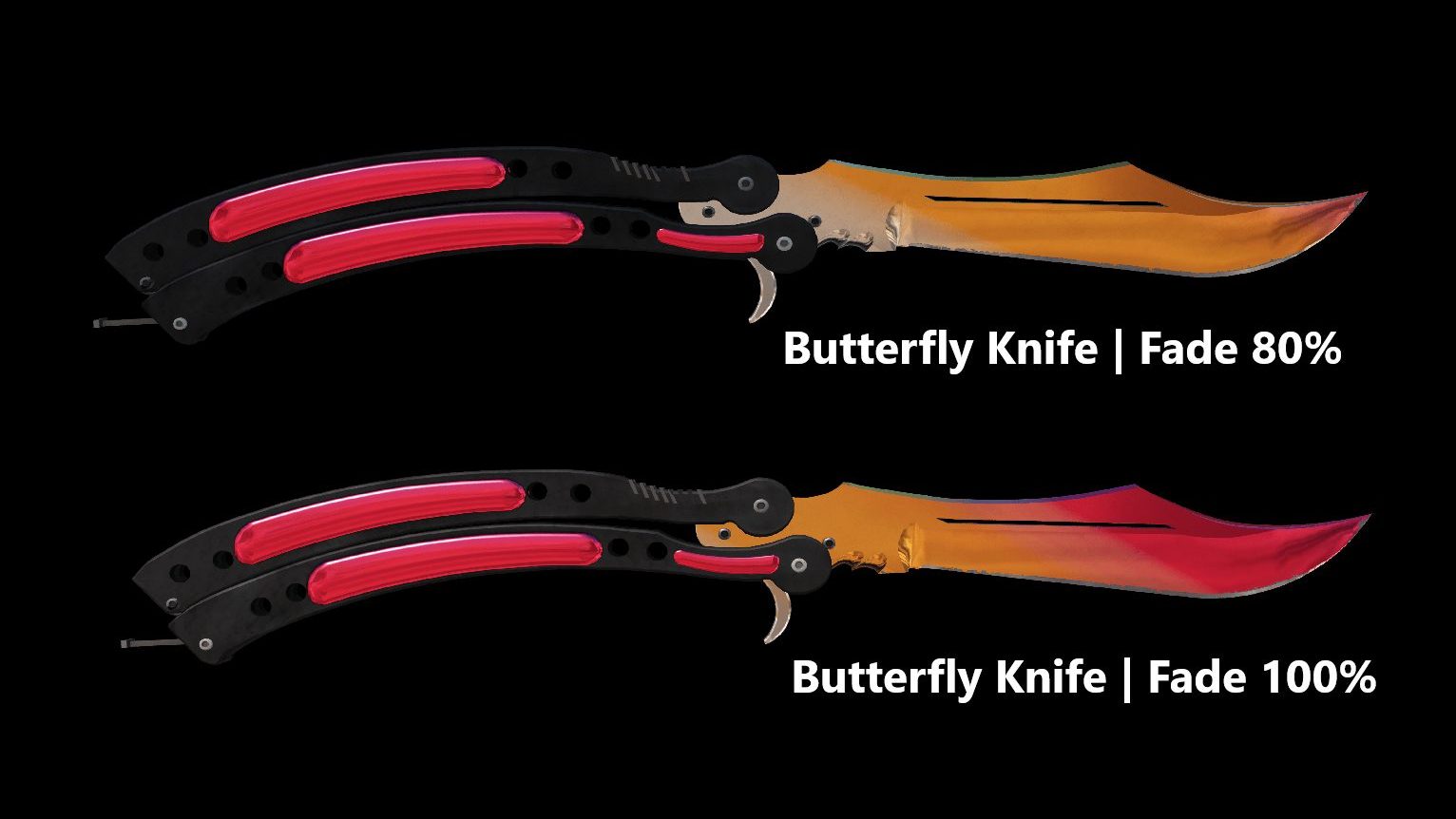
- Available Skins: Weapons, Knives, Gloves
- Most Popular Patterns: Fade 91% – 100%
Fade value depends on fade percentage and color placement. Higher percentages usually receive more overpay. Even when two skins have a similar fade percentage, collectors still pay attention to how the colors are distributed across the most visible parts of the finish.
Marble Fade
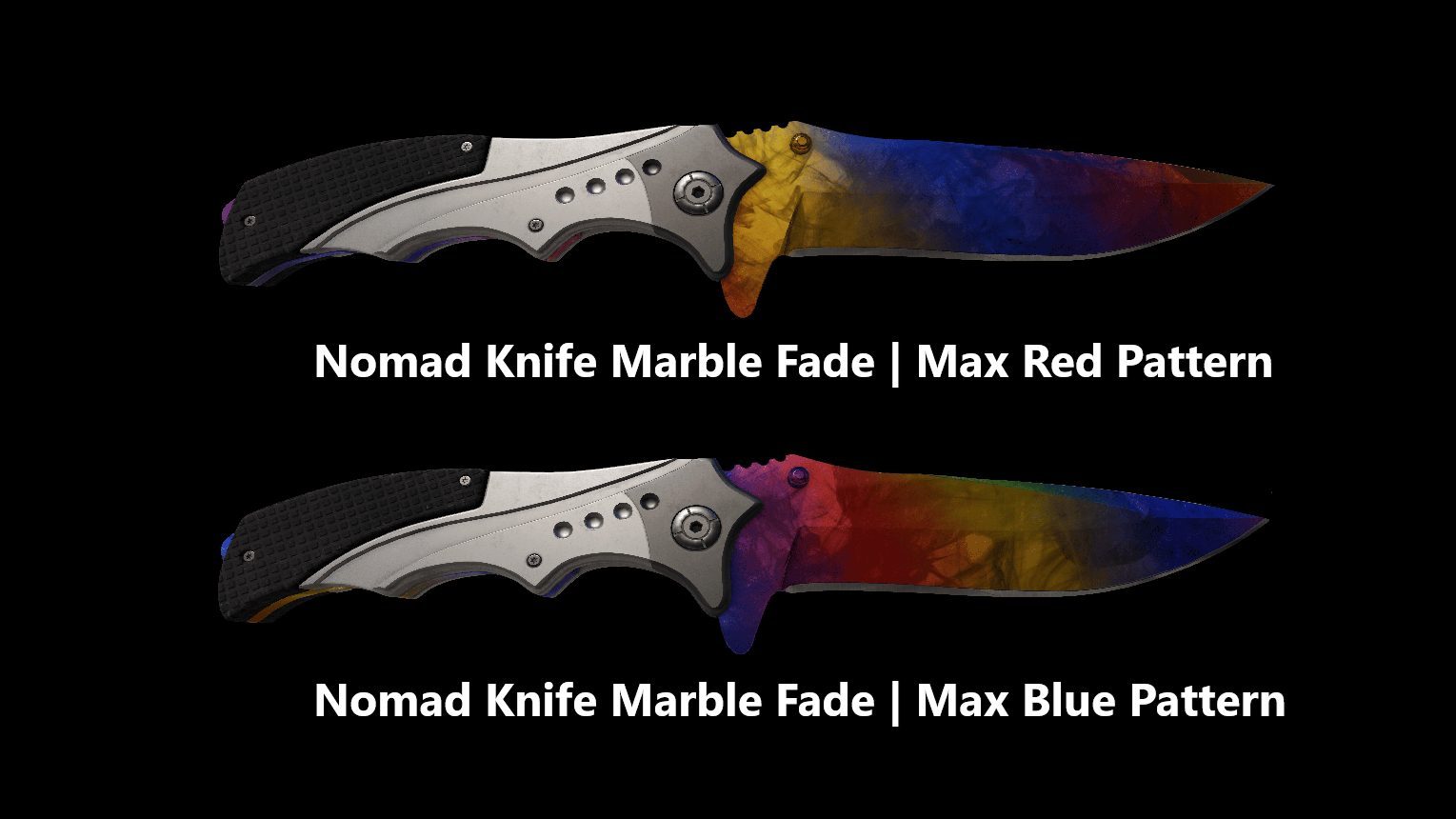
- Available Skins: Weapons, Knives
- Most Popular Patterns: Fire & Ice, Max Fire & Ice, Blue Dominant
Collectors look for Fire and Ice patterns in Marble Fade, where red and blue dominate and yellow is minimal. What matters is not just the presence of certain colors, but how strongly they dominate the blade or weapon surface in the final pattern layout.
Slaughter
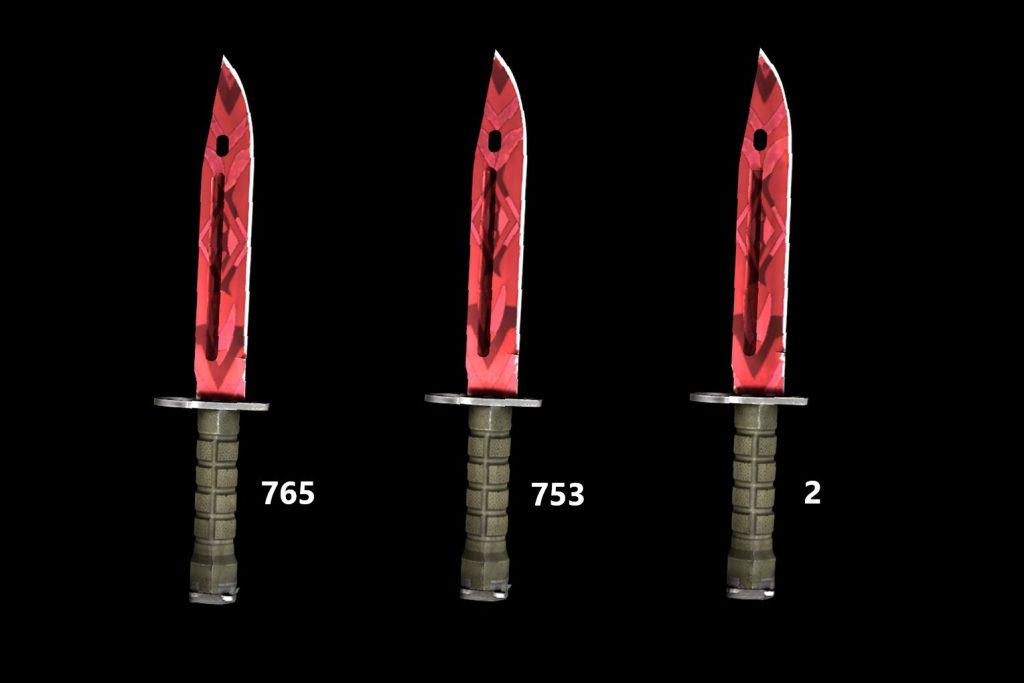
- Available Skins: Knives
- Most Popular Patterns: Centered Diamond, Heart, Angel
Slaughter patterns can form shapes like diamonds or hearts. Premium depends on how clear and centered the pattern looks.
Because the pattern is tiled across the knife surface, small shifts in placement can completely change how visible or recognizable these shapes are. Well-centered and symmetrical patterns are significantly more desirable than distorted or partially cut-off ones.
How to Check Pattern Index in CS2
There are several ways to check a skin’s details online, including inspect-link tools, pattern databases, and browser extensions, but we do not recommend relying on them because they can put you at risk of scams.
The safest and most reliable option is Valve’s official in-game inspect feature, which lets you view all the essential information about your skin directly in CS2.
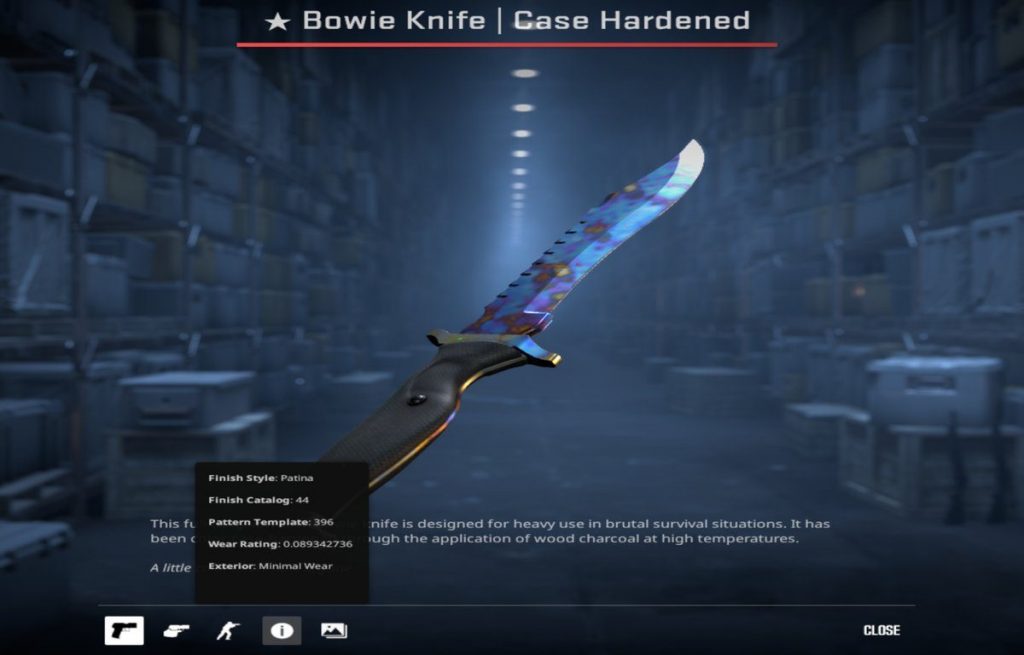
To inspect a skin in CS2, open your Inventory, right-click the item, and select Inspect. Then click the “i” icon. In the bottom-left corner, you will see a panel showing the skin’s key details, including Finish Style, Finish Catalog, Pattern Template, Wear Rating, and Exterior.
How to judge a rare CS2 skin pattern in 20 seconds
Step 1: Check the playside first
Open the inspect view and focus on the side you’ll see most in-game (for knives: the main blade face; for rifles: the receiver/playside).
Step 2: Look for clean dominance
You want one clear “story”: mostly blue, mostly red, a readable shape, or a strong gradient—not a muddy mix.
Step 3: Check symmetry and centering
Centered diamonds or hearts, balanced fades, and even color distribution usually sell better than cut-off or lopsided layouts.
Step 4: Confirm the Pattern Template in CS2 inspect
Inventory > Inspect > click the “i” icon > note Pattern Template (and optionally float/exterior).
Step 5: Compare to 2–3 reference screenshots
Before you decide it’s “rare,” compare it with your site’s verified examples (same finish + same weapon model) so you don’t overpay for a look that’s actually common.
Market snapshot: prices change and listings may disappear
The examples below show currently available CS2 skins on CS.MONEY, highlighting how float, pattern index, and special visual traits can affect pricing. These listings are useful as real-market examples, but prices may change over time.
These are example listings captured from the market when available. Rare patterns and high-tier variants often don’t stay listed for long, so you may not find the same items again. Use these as pricing context, not as a permanent “going rate.”
| Skin | Condition | Float | Pattern | Key Detail | Price |
|---|---|---|---|---|---|
| Karambit | Doppler Ruby | Factory New | 0.0604589767 | 565 | Ruby Doppler finish | $8,990.00 |
| Bayonet | Marble Fade | Factory New | 0.0210035629 | 432 | Tricolor pattern | $1,823.65 |
| AK-47 | Case Hardened | Factory New | 0.0314933694 | 571 | Blue 27% / 27% | $4,545.00 |
Pattern index changes how a finish is placed on the weapon, but your skin’s look and price are also affected by wear/exterior tiers like Factory New, Minimal Wear, and Field-Tested—see Factory New vs Minimal Wear vs Field-Tested in CS2.
Final verdict on Pattern Index in CS2 skins: why it matters for value and visuals
Pattern indexes in CS2 add an extra layer of depth to the skin system, turning standard cosmetic items into collectible variations with real market value. While a pattern index does not change a skin’s official rarity, it can completely change how the finish appears and how much buyers are willing to pay for it.
For collectors and traders, understanding how pattern seeds work is especially important for finishes like Case Hardened, Fade, Doppler, Marble Fade, and Slaughter, where small visual differences can create major price gaps. Even for casual players, knowing what a pattern index does helps explain why two versions of the same skin may look different in-game.
At the end of the day, pattern seeds are one of the main reasons CS2 skins feel unique. They add rarity beyond the item name itself and play a major role in what makes the CS2 skin market so active and valuable.
Frequently Asked Questions About Pattern Index in CS2
Does pattern index affect skin value in CS2?
Yes. A pattern index can have a major effect on skin value in CS2 because certain seeds create more desirable color placement, cleaner symmetry, or rare layouts. This is especially important for skins like Case Hardened, Fade, Doppler, Marble Fade, Slaughter, and Crimson Web.
What is the difference between pattern index and float in CS2?
Pattern index controls how the finish appears on the weapon, while float controls the wear level of the skin. In simple terms, the pattern seed affects placement and layout, while float affects condition and surface wear.
What is the most valuable pattern in CS2?
One of the most famous and valuable examples is the AK-47 | Case Hardened pattern 661, also known as a Blue Gem. Depending on wear, float, and market demand, top-tier Blue Gem patterns can be worth thousands of dollars.
Are pattern seeds important for all CS2 skins?
No. Pattern seeds matter most for skins where finish placement changes the final look in a noticeable way. Many skins have fixed designs, so their pattern index has little or no effect on collector value.
How do you check pattern index in CS2?
The safest way to check pattern index in CS2 is through the in-game inspect feature. Open your Inventory, right-click the item, choose Inspect, and then click the “i” icon. In the information panel, you can find details like Pattern Template, Wear Rating, Finish Catalog, and Exterior.
