

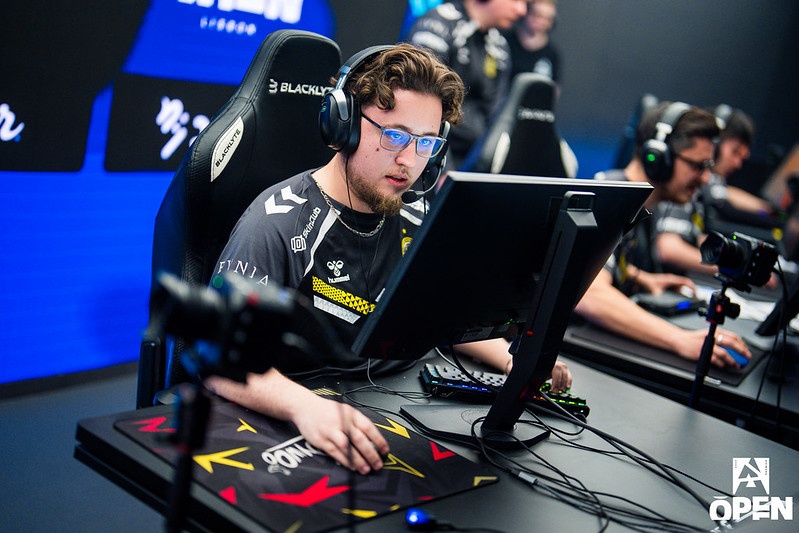

If you’re searching for the complete ZywOo CS2 settings 2026, you’re in the right place. Mathieu “ZywOo” Herbaut remains one of the best players in the world, and his configuration is highly studied by fans.
This guide breaks down his full CS2 config — including crosshair, sensitivity, video, viewmodel, HUD, and launch options — so you can replicate his setup or adapt it to your own playstyle.
ZywOo’s setup is a great inspiration, but having a strong foundation is even more important. Our CS2 Beginner’s Guide walks you through the essentials — movement, shooting mechanics, economy, and settings — so you can get the most out of pro configurations like this one.
Contents
- 1 Who Is ZywOo? – Background of the CS2 Superstar
- 2 ZywOo’s Complete CS2 Settings (2026): Crosshair, Sensitivity, Viewmodel & More
- 3 ZywOo CS2 Crosshair Settings & Code (2026)
- 4 ZywOo CS2 Mouse Settings & Sensitivity (2026)
- 5 ZywOo CS2 Viewmodel & HUD Config
- 6 HUD & Radar Preferences
- 7 ZywOo CS2 Video & Graphics Settings (2026)
- 8 In-Game Video Settings for Performance & Clarity
- 9 Monitor Settings: ZywOo’s Display & Color Tweaks
- 10 ZywOo CS2 Launch Options & Config Tips (2026)
- 11 Common Launch Commands He Uses
- 12 GPU & Driver Tweaks for Competitive Play
- 13 How to Adapt ZywOo CS2 Settings for Your Playstyle
- 14 Final Thoughts: Adapting ZywOo’s Settings to Your Playstyle
- 15 FAQ – ZywOo CS2 Settings 2026
- 16 What are ZywOo’s CS2 settings in 2026?
- 17 What is ZywOo’s CS2 crosshair code?
- 18 What mouse and sensitivity does ZywOo use in CS2?
- 19 What resolution does ZywOo use in CS2?
- 20 Should you copy ZywOo’s CS2 config?
Who Is ZywOo? – Background of the CS2 Superstar
- Name: Mathieu Herbaut
- Team: Team Vitality
- Country: France
- Birthday: November 9, 2000
Mathieu “ZywOo” Herbaut, born on November 9, 2000, is a French professional Counter-Strike 2 player for Team Vitality, where he plays primarily as an AWPer. Before CS2, he was also one of the most dominant players in Counter-Strike: Global Offensive, building a reputation for elite aim, game sense, and consistency.
ZywOo is widely considered one of the greatest Counter-Strike players of all time. He has been named HLTV’s best player of the year multiple times, won several Major championships, earned multiple Major MVP awards, and holds a record number of HLTV MVP medals, making his CS2 settings one of the most searched pro configs in the world.
ZywOo’s Complete CS2 Settings (2026): Crosshair, Sensitivity, Viewmodel & More
This section lists ZywOo’s latest CS2 config for 2026 — from crosshair and sensitivity to viewmodel, HUD, and FPS-focused video settings — so you can match his setup quickly and adjust it to your own playstyle.
ZywOo CS2 Crosshair Settings & Code (2026)
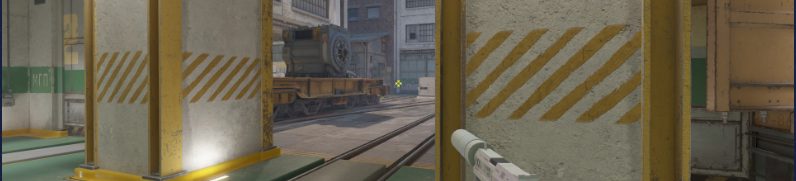
Below, you’ll find ZywOo’s CS2 crosshair values for 2026, including the import code and individual settings you can copy directly into your game.
| Settings | Value |
|---|---|
| Style | Classic Static |
| Follow Recoil | No |
| Dot | No |
| Length | 1.2 |
| Thickness | 0.1 |
| Gap | -2.8 |
| Outline | No |
| Alpha Value | 255 |
| Color | RGB 255,255,255 |
| Sniper Width | 0 |
You can import his current crosshair directly via code:
CSGO-ez8fH-62TiV-oWxqy-55TPS-MhCcO
This is a circulating pro crosshair entry for ZywOo. In short, it uses a Classic Static style with a tight gap, short length, ultra-thin thickness, no dot, no outline, full alpha, and a clean white RGB color for maximum visibility.
Want to fine-tune your crosshair settings? Head over to our How to Change Crosshair in CS2 guide — you’ll get step-by-step instructions, console commands, and tips for crosshair styles that match your playstyle.
ZywOo CS2 Mouse Settings & Sensitivity (2026)
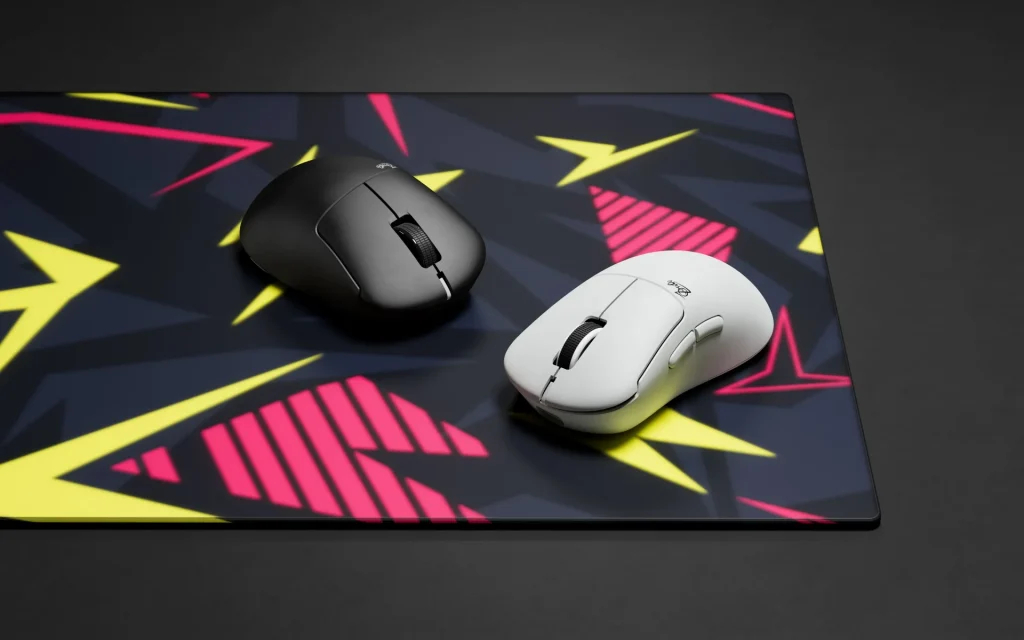
- Mouse: Pulsar ZywOo The Chosen Mouse White
- DPI: 400
- Sensitivity: 2.0
- eDPI: 800
- Zoom Sensitivity: 1
- Polling Rate (Hz): 1000
- Windows Sensitivity: 6
ZywOo uses The Chosen Mouse White by Pulsar, a lightweight esports mouse designed for precision aiming and competitive play.
Use Raw Input (On) in CS2 settings to bypass Windows mouse scaling, ensuring consistent sensitivity. (Though it’s not always explicitly mentioned in public configs, it’s standard for pro setups.)
Want to dial in your aim and visuals first? Before applying pro configs like ZywOo’s, get your core mouse DPI, sensitivity, and resolution settings locked in. Our CS2 DPI & Sensitivity Guide explains how to find what works for you.
ZywOo CS2 Viewmodel & HUD Config
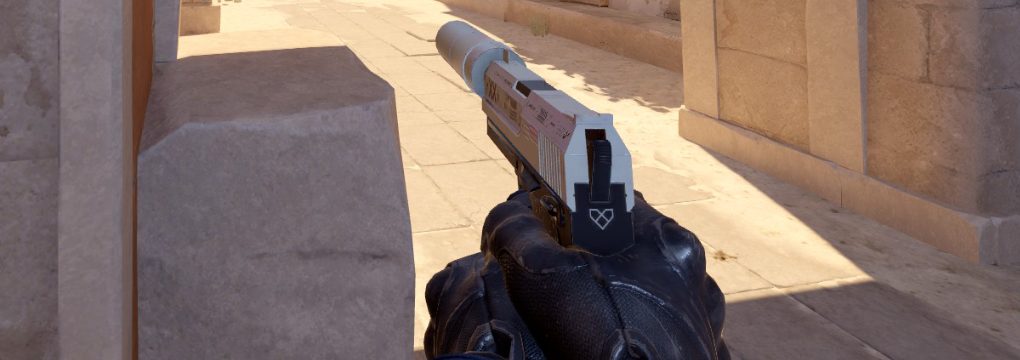
Here are ZywOo’s typical viewmodel / HUD values in CS2:
| Parameter | Value |
|---|---|
| Viewmodel FOV | 68 |
| Offset X | 2.5 |
| Offset Y | 0 |
| Offset Z | -1.5 |
| Preset Position | 2 |
He tends to stick to a fairly centered, slightly lowered weapon position so it does not obstruct the center screen.
ZywOo’s viewmodel console commands:
viewmodel_fov 68; viewmodel_offset_x 2.5; viewmodel_offset_y 0; viewmodel_offset_z -1.5; viewmodel_presetpos 2;
HUD & Radar Preferences
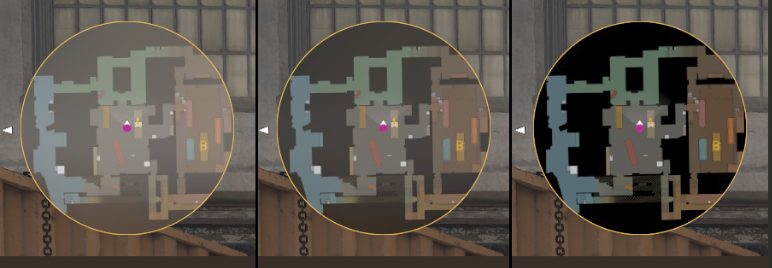
While there is less consistency in publicly reported HUD or radar setups, common practices in his general config include:
- HUD Scale: 1
- HUD Color: Team Color
- Radar Map Zoom: 0.7
- Radar Hud Size: 1
- Radar Centers The Player: Yes
- Radar is Rotating: Yes
- Toggle Shape With Scoreboard: Yes
His HUD and radar are relatively standard, relying more on clarity than over-customization.
ZywOo CS2 Video & Graphics Settings (2026)
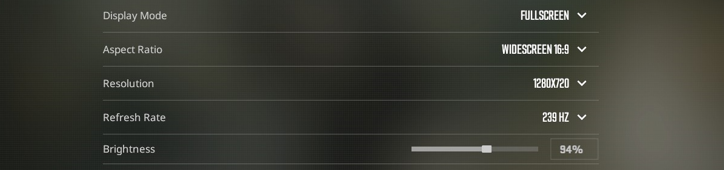
To maintain high FPS and clarity, ZywOo uses a combination of competitive video settings and enhancements.
In-Game Video Settings for Performance & Clarity
| Settings | Value |
|---|---|
| Resolution | 1280×960 |
| Aspect Ratio | 4:3 (stretched) |
| Scaling Mode | Stretched |
| Display Mode | Fullscreen |
| Brightness | 93% |
| Boost Player Contrast | Enabled |
| Model / Texture Detail | High |
| Shader Detail | High |
| Particle Detail | High |
| Texture Filtering Mode | Anisotropic 4x |
| Anti-Aliasing | 4x MSAA |
| Shadow Quality | High |
| Dynamic Shadows | All |
| Ambient Occlusion | Medium |
| V-Sync / G-Sync | Disabled |
| NVIDIA Reflex / Low Latency | Enabled |
| Maximum FPS In Game | 400 |
| High Dynamic Range | Quality |
| FidelityFX Super Resolution | Disabled (Highest Quality) |
Monitor Settings: ZywOo’s Display & Color Tweaks
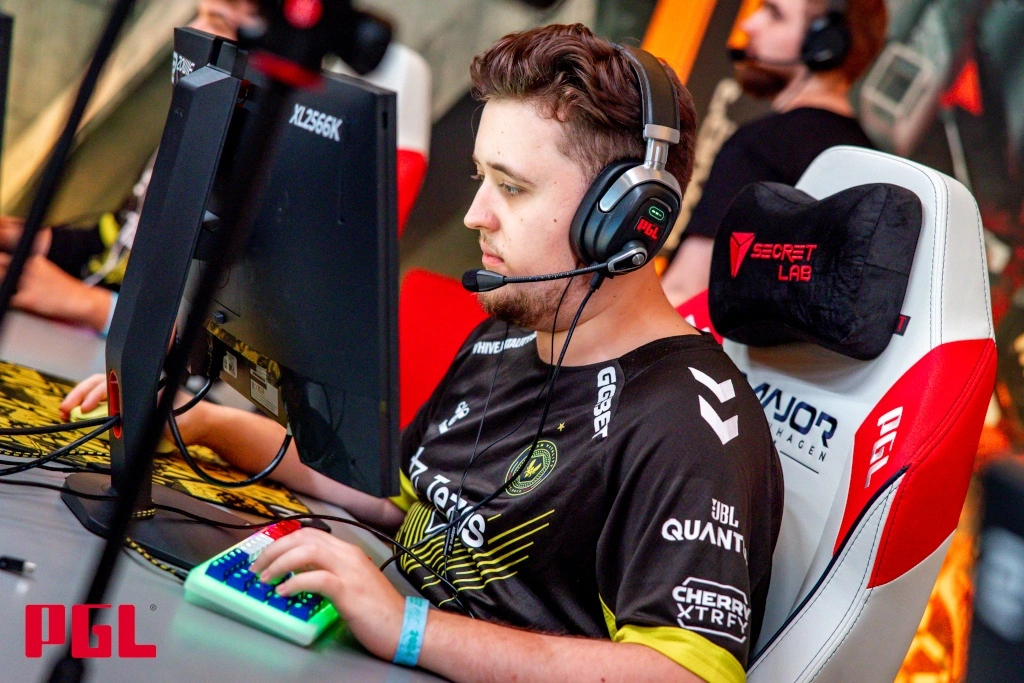
- Monitor: ZOWIE XL2586X+
- Black eQualizer: 12
- Color Vibrance: 20
- Low Blue Light: 0
- Picture Mode: FPS1
- Brightntess: 83
- Contrast: 50
- Sharpness: 10
- Gamma: Gamma 3
- Color Temperature: User Define
- RGB colors: 100/100/100
These settings aim to balance visual fidelity and performance, while enhancing enemy visibility (via contrast & color settings).
ZywOo CS2 Launch Options & Config Tips (2026)
Here are the launch parameters or general config things used by ZywOo:
Common Launch Commands He Uses
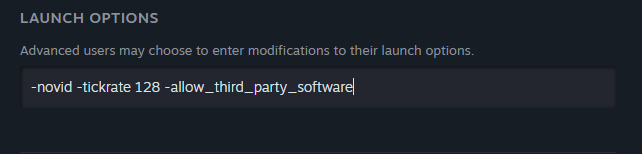
-novid -tickrate 128 -allow_third_party_software
- –novid (skips the intro video)
- –tickrate 128 (ensures 128-tick servers in practice)
- –allow_third_party_software (allows external UI overlays/tools)
Having trouble opening the console in CS2? Our guide walks you through every step — enabling it, fixing errors, and getting console commands working properly. Check out the full walkthrough here: CS2 Console Not Opening Guide.
GPU & Driver Tweaks for Competitive Play

- Use performance mode, disable V-Sync and motion smoothing, enable low latency / reduce buffering in the GPU driver
- Keep GPU drivers up-to-date, and disable background tasks that might introduce input lag.
How to Adapt ZywOo CS2 Settings for Your Playstyle
Copying a pro’s settings is smart, but here are tips to make them work for your preferences and hardware:
- Start with sensitivity (DPI + in-game): ZywOo’s eDPI is 800. If that feels too fast or too slow, scale proportionally (e.g. use 400 DPI + 2.67 sens).
- Maintain consistent aspect ratio and resolution: If your screen is 16:9 and you prefer it, stick with it — only switch if you’re confident. The lower the resolution, the bigger the models, and the easier it is to shoot.
- Gradual change: Don’t change everything at once. Try crosshair first, then video, then sensitivity tweaks over days.
- Balance performance and visibility: If your PC can’t handle “High” models & shaders smoothly, drop some quality settings while keeping contrast/visibility tweaks.
- Practice with it: It often takes days or weeks to feel “natural” with new settings. Play deathmatch, aim trainers, or warmups.
- Monitor your results: If your accuracy / aiming becomes worse, revert or adjust rather than forcing yourself to play the pro setup.
Final Thoughts: Adapting ZywOo’s Settings to Your Playstyle
ZywOo’s configuration is one of the most optimized pro setups in Counter-Strike 2. His balance of precision, clarity, and performance is what makes him stand out. Following this guide to the ZywOo CS2 settings 2026, you can copy his config as a starting point and then adjust it for your comfort and hardware. No matter if you’re an aspiring AWPer or hybrid rifler, adapting ZywOo’s CS2 config is one of the best ways to improve your gameplay in 2026.
Looking to master long-range duels next? Check out our “How to Dominate with the AWP in CS2: Tips & Tricks” — full of pro strategies for positioning, flicks, scoping, and mental approach.
FAQ – ZywOo CS2 Settings 2026
What are ZywOo’s CS2 settings in 2026?
ZywOo’s CS2 settings in 2026 include 400 DPI, 2.0 sensitivity, 800 eDPI, 1280×960 stretched resolution, and a Classic Static crosshair. His setup is built around precision, clean visibility, and consistent performance across rifle and AWP play.
What is ZywOo’s CS2 crosshair code?
ZywOo’s reported CS2 crosshair code is CSGO-ez8fH-62TiV-oWxqy-55TPS-MhCcO. This lets players quickly copy his crosshair settings without manually entering every value.
What mouse and sensitivity does ZywOo use in CS2?
ZywOo is reported to use the Pulsar ZywOo The Chosen Mouse White with 400 DPI, 2.0 in-game sensitivity, and 800 eDPI. These settings give him a balanced aim style for both AWP flicks and controlled rifle sprays.
What resolution does ZywOo use in CS2?
ZywOo uses 1280×960 resolution with a 4:3 stretched aspect ratio. Many CS2 players use this type of setup because stretched models can feel easier to track in duels.
Should you copy ZywOo’s CS2 config?
Yes, ZywOo’s CS2 config is a strong starting point if you want pro-level settings for crosshair, sensitivity, viewmodel, radar, and video. However, you should adjust the setup based on your own mousepad space, monitor, FPS, and aiming comfort.
